Below is a review of the functionality shown on the new Stories page. If seeking information regarding the legacy Stories page, see the section at the bottom of this documentation or reach out to us at support@shortcut.com.
Add Filters, Remove Filters at the top of the Page
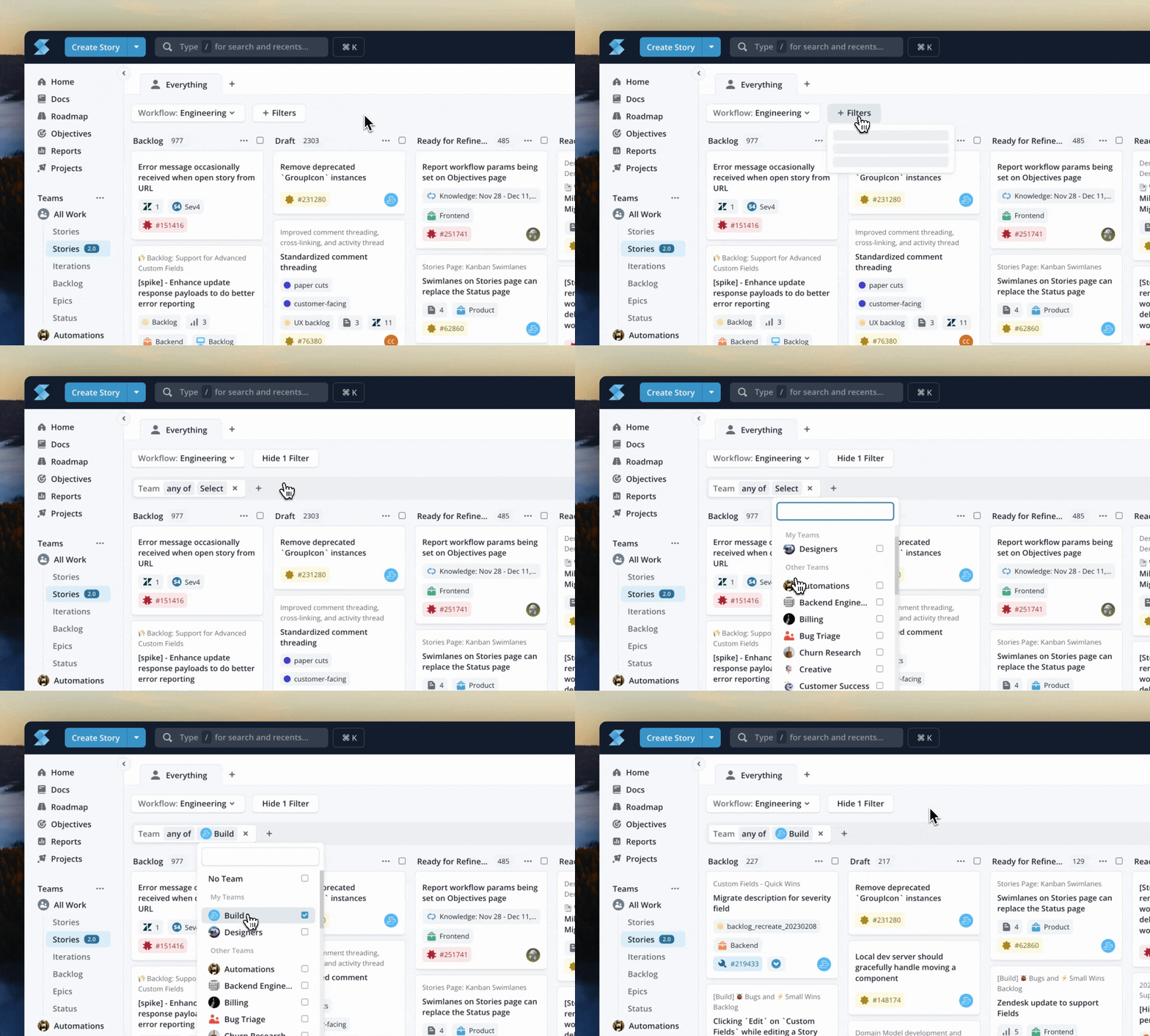
Select your filter type by clicking "Add Filter" from the dropdown menu >> select your values in the filter pill
To remove filter types, click the "x" to remove the pill, to remove specific values, click into the filter type and de-select the values in the drop-down
Filter Operators, Quick Filters
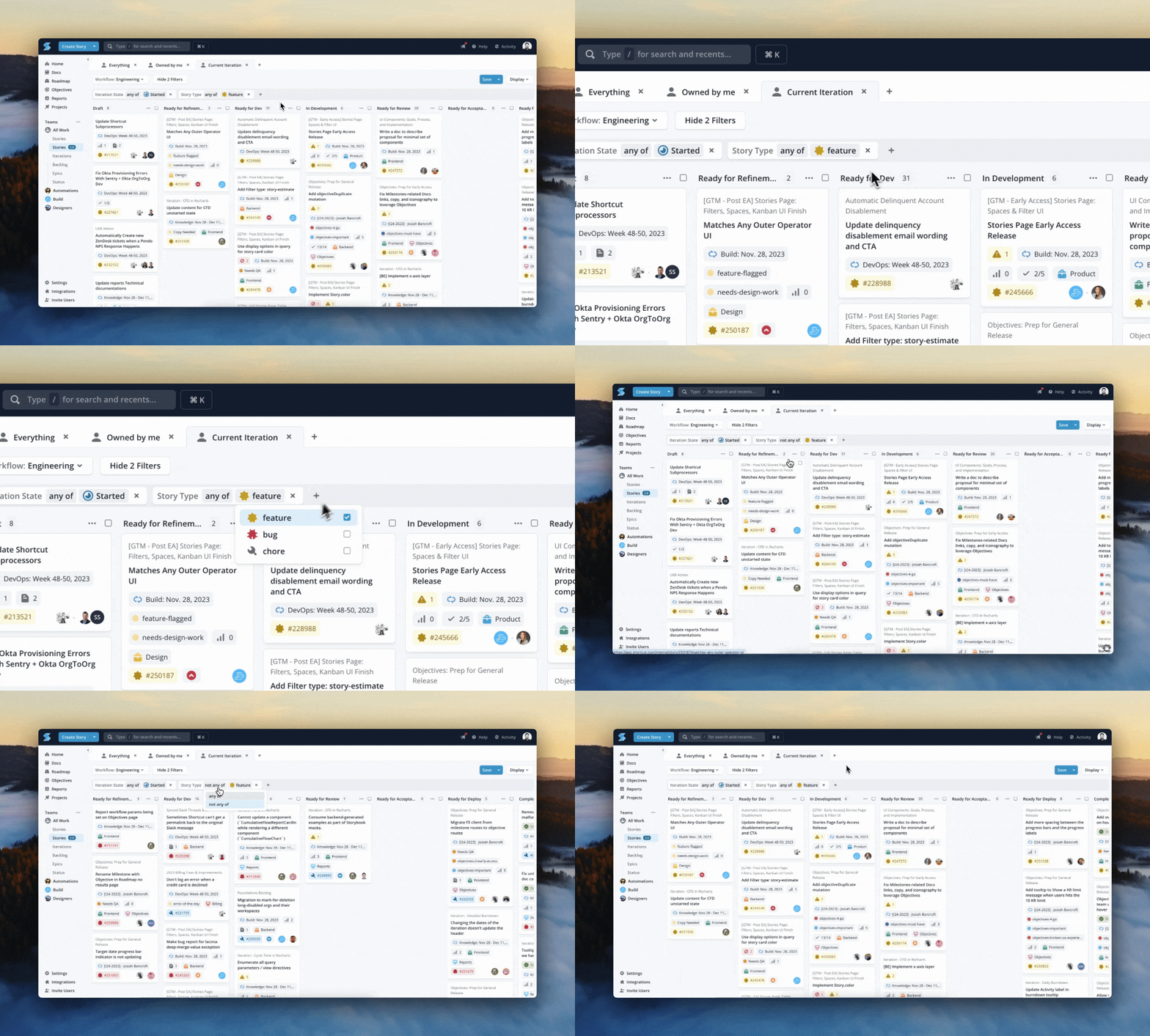
| Filter Type | Function |
|---|---|
| Filter Category | Multi-Select, Select the filter category to filter specific values within that category |
| Operators | Select "is any" to show all stories that meet that criteria, Select "is not any" to show the inverse of the selection |
| Quick Filter (Boolean) | True/False, Filter values |
| Search Filter | String, Filter Stories by search term (formerly Keyword filter) |
Quick Show/Hide Filters
You can enable/disable filters you have added to your space. You can save the setting to your Space if you want your teammates to have the same view!
TIP: Add Individual Owner or Requestor Filters to individually toggle on/off during team stand-ups!
Add "Matches Any" Group
You can add a "Matches Any" group in addition to the default "Matches All" group of filters. Filters added in the "Matches Any" group ("Or") will show all stories that meet any of the selected filter values.
Tip: User the "Matches Any" group to filter your view by multiple owners and run team meetings (like Stand Up) in one Space!
Updated